Import your trips
Bring your past trips into Driversnote
Hand your AI assistant a Google Timeline export, a spreadsheet or another app's history, and it turns that into Driversnote trips. You'll see a preview before anything is added.
Import trips from an app, a file or your calendar
Google Timeline
Your drives from Google Maps location history, with the places you stopped at.
A spreadsheet or CSV
Your own log, or the one your employer asked you to keep. Your AI assistant checks the columns, units and dates with you.
Another mileage app
An export from MileIQ, Everlance, TripLog or another mileage app, with each trip's purpose kept.
Your calendar
Forgot to track a few days? Your AI assistant can add the client visits from your calendar once you say yes, using the distance of your earlier trips to the same place.
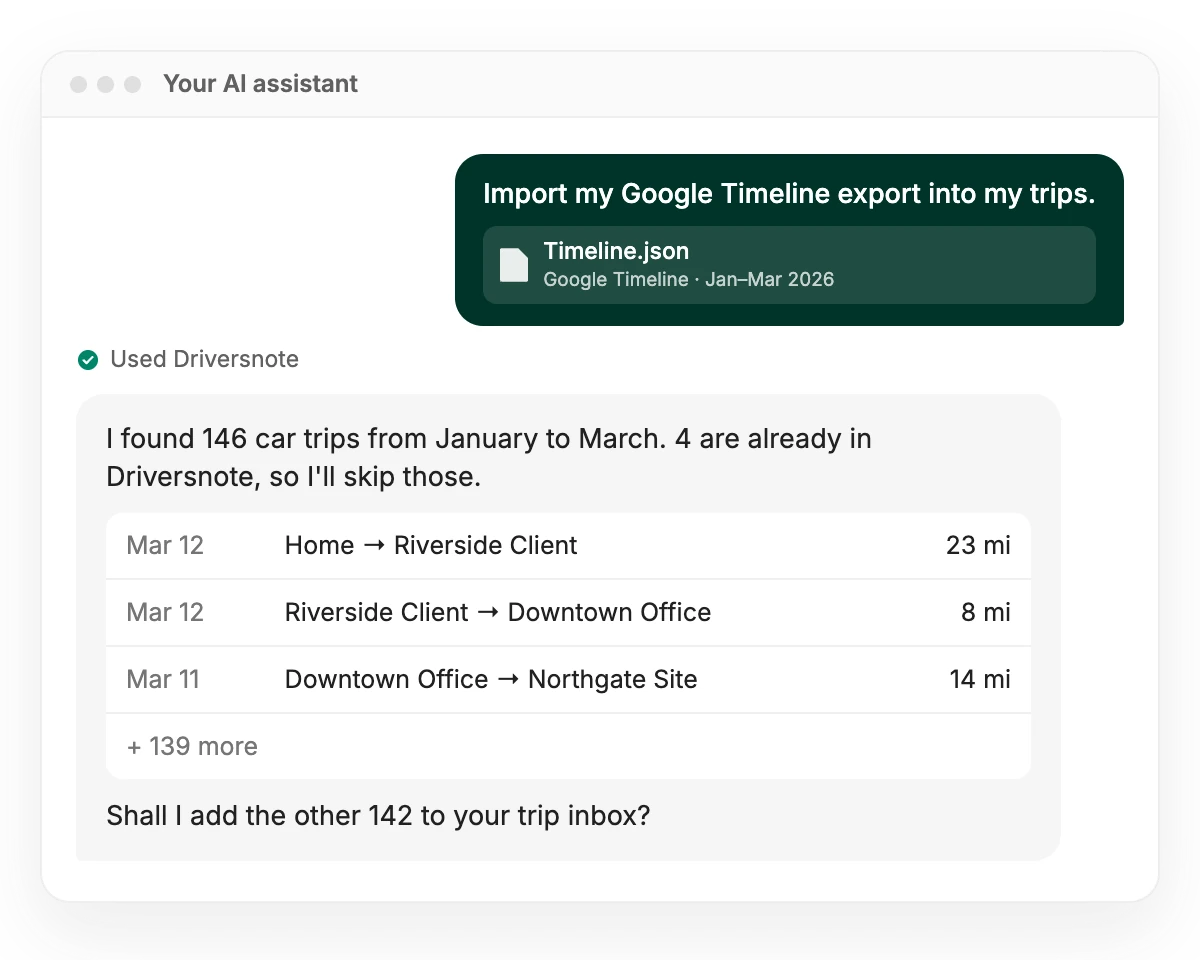
Import my Google Timeline export into my trips.
Used Driversnote
I found 146 drives from January to March. 4 are already in Driversnote, so I'll skip those.
Should I add the other 142 to your trip inbox?
Attach the file and ask
Your assistant reads it and asks about anything it can't work out. Copy a question to try it.
Import my Google Timeline export into my trips.
Every drive in the file as a trip, with addresses, waiting for your review.
Import this spreadsheet of my 2025 trips.
The rows as trips, once you've confirmed the vehicle and date format.
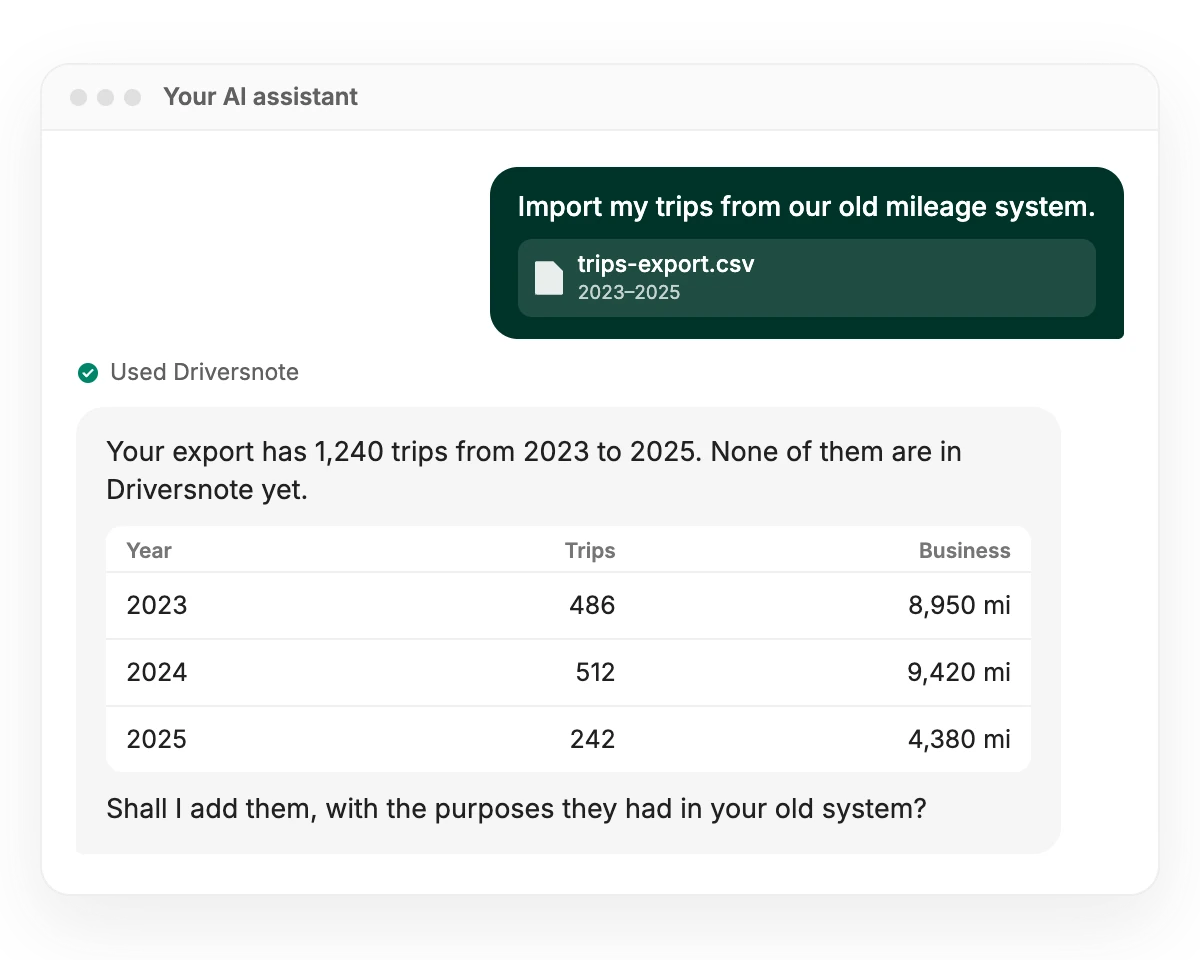
I'm switching from MileIQ. Here's my export, bring my trips over.
Your trips in Driversnote, with the purposes they had in MileIQ.
Find the workdays in October with no trips and add the client visits from my calendar.
Used Driversnote
October 9 and 23 have no trips. Your calendar shows a visit to Acme on the 9th and to Northside Dental on the 23rd.
I've used the distance of your earlier trips to each place. Should I add both, there and back?
Fill the gaps
Forgot to track a few days?
Your assistant can add trips that weren't tracked, from your calendar or from what you tell it. It uses the distance of your earlier trips between the same places, and asks you when there aren't any.
Why are some amounts different from MileIQ?
Used Driversnote
Driversnote works out each amount from your workplace's rates. Your MileIQ export used last year's rate for January and February, so those trips come out a little different here.
Should I show you the difference trip by trip?
Switching apps
Switching from another mileage app?
Bring your history with you, so your log covers the whole year. Each trip keeps its purpose. Amounts are worked out again from your own rates, so they may differ a little from your old app's.
For teams
Switch systems without losing your history
When you change mileage systems, you want everything in one place, not old trips in spreadsheets or a system you have to keep paying for. Finance can compare costs over time, and the records are there if anyone asks for them later. With your AI assistant, each driver can bring in their own past trips.
You stay in charge
Your AI assistant suggests. You decide.
More you can do with your assistant


Get approved mileage into payroll and accounting, create reports for your accountant, or dig into your team's numbers.

Frequently asked questions
Add Driversnote to your AI assistant and attach your export or spreadsheet to the chat. Your assistant checks the details with you: the vehicle and workplace, the period, the units, and whether trips the file says nothing about are business or personal. It then shows you a preview with any likely duplicates, and adds nothing until you say yes. The new trips wait in your trip inbox, tagged with the import so you can find them again.
Trips from the last five years. If your file goes further back, your assistant tells you before it starts.
No. Imported trips show where they started and ended, but not the route driven.
Driversnote works out each trip's amount from your workplace's rates, so amounts aren't copied from your old app. If the totals differ, ask your assistant to compare the rates.
You can add past trips by hand in the Driversnote app or on the web. For a long history, an AI assistant is quicker, and you can add Driversnote to one in a couple of minutes.
Start your log where you left off
Add Driversnote to your AI assistant and bring in the trips you already have.